Keep Every Material Movement on Record from Warehouse to Field
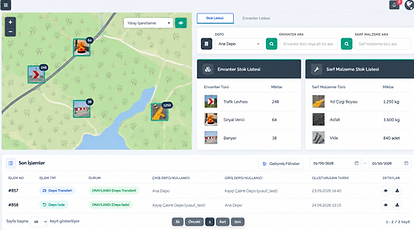
View stock quantities for each warehouse separately. Review when materials were received, sent to the field, and used, together with their complete transaction history.

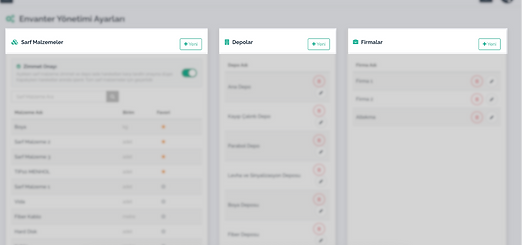
Create Multiple Warehouses
Define separate warehouses for different units, regions, or operations and track the stock held in each one.

Record Stock Receipts
and Dispatches
Record materials entering or leaving a warehouse together with their quantities and transaction details.

Track Consumables
in the Right Units
Follow paint, asphalt, screws, and other materials using units such as pieces, centimetres, kilograms, or litres.


Connect Material Usage to Tasks
Add materials used in the field to the relevant task and see how much was consumed during each job.

Follow Returns, Scrap, and Assignments
Track the usage, return, scrap, and assignment status of materials through the same system.

Report Stock Movements
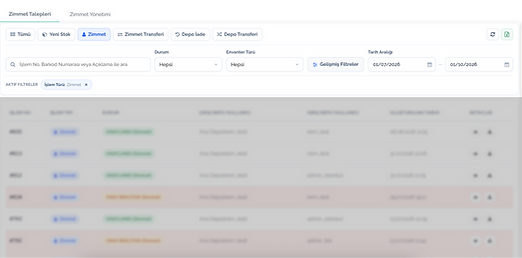
Review material history by warehouse, period, transaction type, or related task.
Explore Pintask’s Warehouse and Stock Management Features
See how you can keep the complete stock process on record, from creating warehouses to using materials in the field.
View Stock by Warehouse
Select a warehouse to view its inventory and consumable materials in separate lists. Access the available stock in each warehouse from a single screen.
.png)


.png)
.png)
.png)
.png)



Warehouse and Field Processes Connected
in Istanbul
Istanbul Metropolitan Municipality’s Traffic Department connects road-marking paint, asphalt, bolts, screws, clamps, and other consumables to the relevant task records.
Material dispatch, field usage, returns, and assignments are recorded in the same system. This keeps warehouse stock records up to date and makes it possible to review where materials were previously used.
250.00+
Inventory items added
15.000
Task completed